
Quan trọng
Support System, Profile Redesign & Bug Fixes
2 phút đọc
The support live chat widget is fixed and redesigned, your full ticket history is now accessible from your profile, the profile page has been rebuilt for desktop and mobile, and two bugs affecting animation feedback and character pages have been resolved.
Support Live Chat Widget
- The floating support chat widget is fixed and working again after a period of being broken
- When the team is online you can chat in real time directly from the site — conversations persist across opens and closes
- When offline the widget switches to a contact form that creates a support ticket and gives you a reference number
- The widget has been visually rebuilt with a dark glass aesthetic and a proper success screen after submitting
Dismissing the Widget
- You can now hide the chat bubble if you prefer a cleaner screen
- On desktop hover the bubble and a hide option appears above it — on mobile a small dismiss button sits on the corner
- When hidden it stays gone for 7 days
- To re-enable it at any time go to Profile, open Settings, and toggle Support Widget back on
Support Ticket History
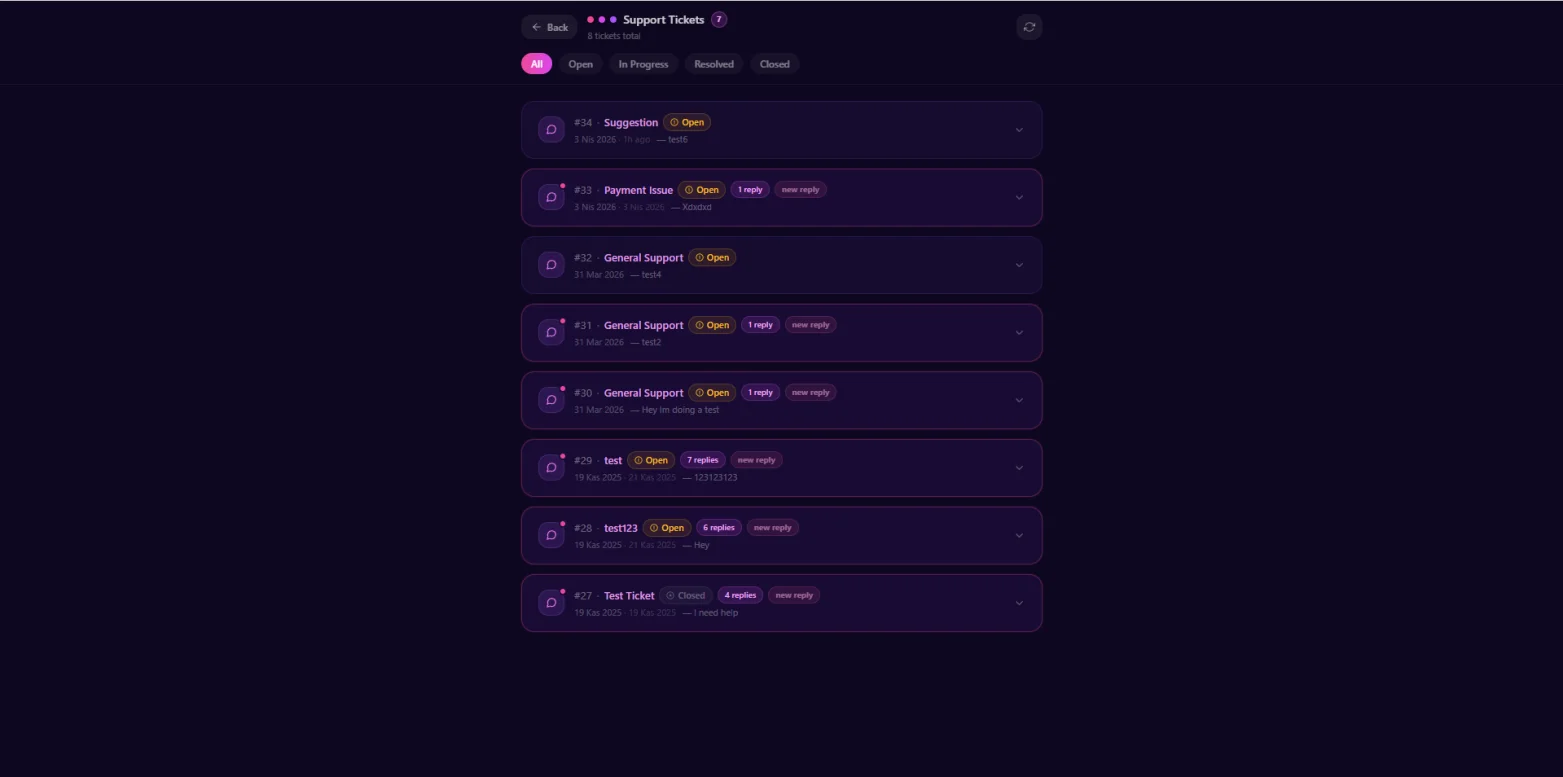
- Your full ticket history is now accessible from the Support button in your profile header
- Shows all tickets with status badges, reply counts, and timestamps
- Unread admin replies are marked with a pink indicator so you know when something needs your attention without opening each ticket
- Click any ticket to expand the conversation thread inline
- Filter by status — Open, In Progress, Resolved, or Closed
Profile Page Rebuilt
- The profile header has been redesigned for both desktop and mobile
- On desktop the avatar, username, and stat pills sit in a single clean row with action buttons arranged to the right
- On mobile the layout has been significantly improved — avatar and username side by side at the top, stats below with labels always visible, Edit Profile as a full-width primary button, and Settings, Share, and Support in a 3-column grid beneath it
- The old mobile layout had too much dead space and buttons that were too small to tap comfortably — both are now resolved
Modals & Navigation Redesigned
- Edit Profile, User Settings, and Share modals have been redesigned with a consistent dark visual style in line with the direction the rest of the platform UI has been moving
- The Settings modal now covers account info, preferences, linked payment accounts, the support widget toggle, and account deletion with a feedback survey step
- The top navigation user dropdown has been refreshed — shows your active plan and usage summary at the top, cleaner iconography, Sign Out visually separated
- The plan usage card on your profile has been rebuilt with gradient icons, bolder numbers, and cleaner progress bars
- More areas of the platform will continue receiving visual updates in upcoming batches
Bug Fixes
- Fixed a bug where animating a chat image would show a false Animation failed error even though the animation completed successfully on the backend — the play button now appears on the source image immediately after generation finishes without any error or page reload needed
- Fixed character profile pages returning a blank white screen for characters that had any inactive tag in their tag list — inactive tags are now filtered out silently and the character loads normally
★The false Animation failed error during video and image animation is now fixed — animations complete cleanly and the play button appears immediately when generation finishes.
Bạn thấy sao?
Flirtzy.ai