
Important
Per-Conversation Image Models & Visual Context Improvements
3 min de lecture
You can now switch the image generation model per conversation directly from the chat input bar, with four fully NSFW-capable options to choose from. Visual context tracking has been significantly improved for more accurate, scene-relevant image generations, and the generation loading experience has been refreshed with a new animated placeholder.
Per-Conversation Image Model Switching
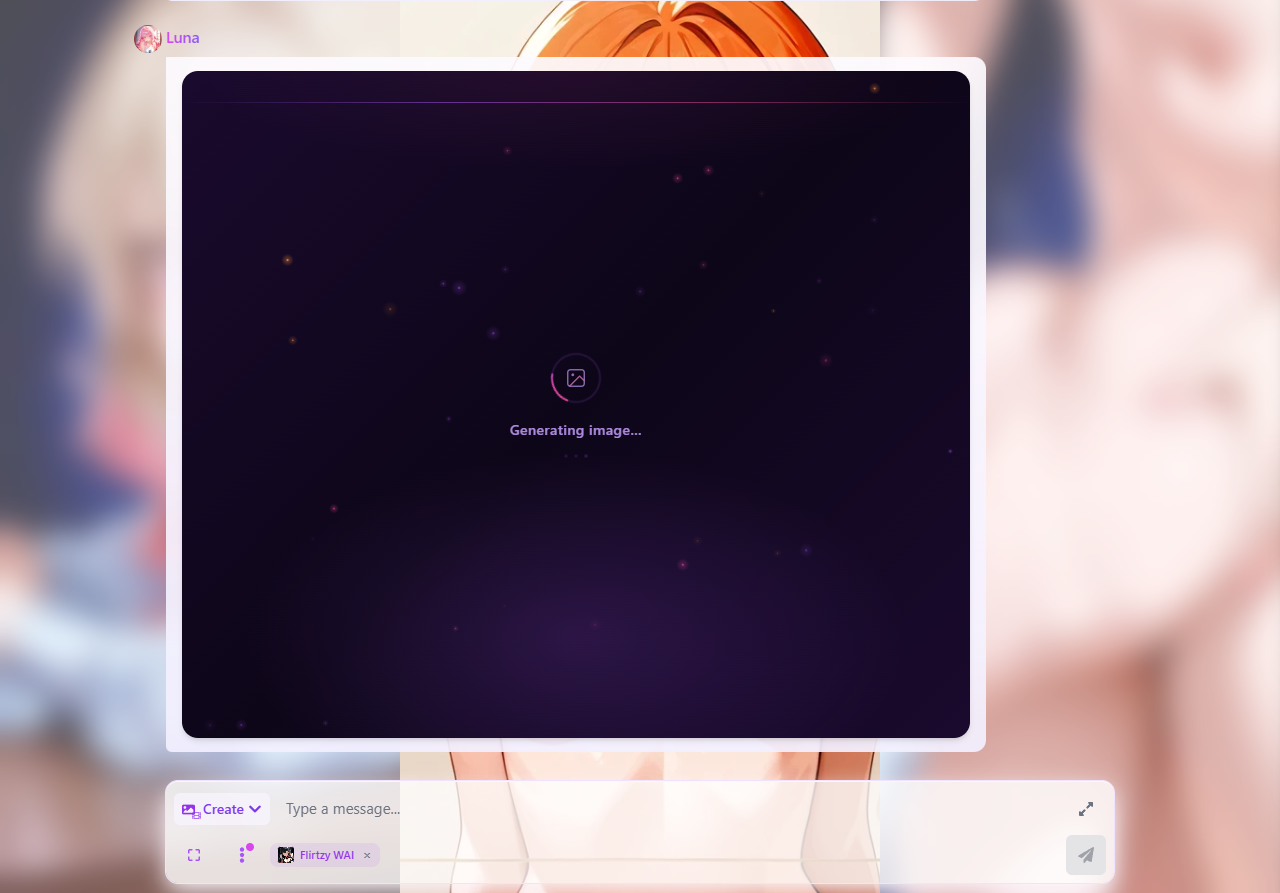
- A new model selector is now embedded directly in the chat input bar showing the currently active image model for that conversation
- Tap or click it to switch between four fully NSFW-capable models: Flirtzy XL, Flirtzy WAI, Flirtzy Real, and Flirtzy Real Pro
- The selected model is saved per-conversation — switching models in one chat has no effect on your other conversations
- An × button appears when a model override is active, letting you instantly reset back to the character's default model
- Animagine models are no longer available in the conversation image picker as they are not fully NSFW capable — they remain accessible in the standalone Image Studio
Visual Context & Image Accuracy Improvements
- The visual context tracker now runs synchronously before each image generation, ensuring the prompt builder always works from the most up-to-date scene state
- A compact identity anchor is now included on every visual context update so the tracker always knows what the character's default appearance looks like — resolving cases where reverting hair or eye color to "normal" would produce incorrect results
- Eye and hair color overrides driven by in-story appearance changes (glowing eyes, soaked hair, etc.) now correctly take priority over the character's style lock
- Body descriptors, age markers, breast size, and skin tone are now extracted from the character's style lock and explicitly included in every realistic model prompt — previously these were being omitted, causing flirtzy realism models to render generic adult figures instead of the character
- Sexual position rendering on realistic models has been substantially improved — position tokens now include explicit anatomical clarifiers, and the prompt builder performs a self-check to remove any pose tokens that physically contradict the chosen position
- Location anchoring for realistic models has been strengthened — indoor scenes now include multiple specific environment tokens rather than a single generic label, which significantly improves scene accuracy
- Glowing eye effects on realistic models now use iris-anchored token phrasing to prevent color bleeding into hair
Image Generation Speed & Loading
- The backend now acknowledges the generation request to the client immediately after the visual context refresh and prompt build, so the loading placeholder appears in the chat without waiting for the full model request queue — images feel noticeably faster to start
- The image generation loading placeholder has been redesigned with a dark cosmic background, floating ember particles in purple, pink, and amber, a scanning light sweep, a spinning gradient ring, and pulsing dots — replacing the previous plain white placeholder
Chat Input Bar — Text Size & Menu Reorganisation
- The text size slider has moved from the chat input bar into Chat Settings for a cleaner input area
- Access it via: chat input bar → three-dot menu (⋮) → Chat Settings → Text Size (bottom of the modal)
- Users who had the text size control in the old location will see a one-time nudge badge on the three-dot menu pointing them to the new location — it disappears after you open Chat Settings once or after seven days
- Less frequently used controls have been consolidated into the three-dot menu, keeping the primary input bar focused on sending messages and generating content
★You can now switch image models mid-conversation without reloading the page — the change takes effect on your very next generation.
Qu'en penses-tu ?
Flirtzy.ai